Password Change
The user who logs in to the interface can change the password defined in the eBA system from this field.
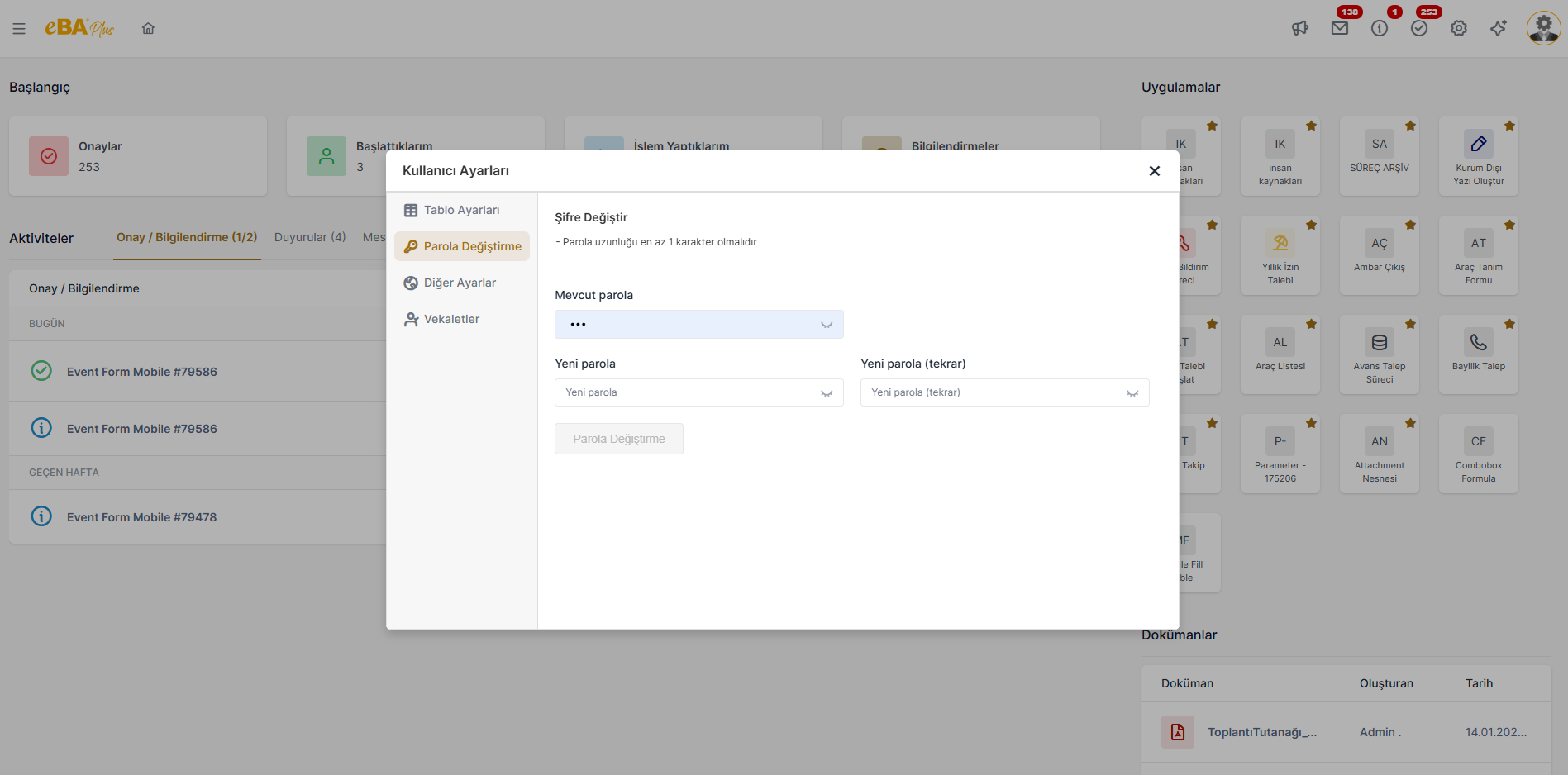
If end users are not required to change their own eBA passwords, eBAConfigurationEditor.exe In the Advance tab, add the key " AllowChangePassword " to the Security node and add the value " false " If the config is saved by doing it, end users will not be able to view this tab in the interface.
If it is desired to make it mandatory to create a strong password with certain rules,
eBAConfigurationEditor.exe in the Advance tab, click Security -> PasswordManagement ->
The key " Enable " is added to the Strongness node and its value is set to " true ". After this process, the password
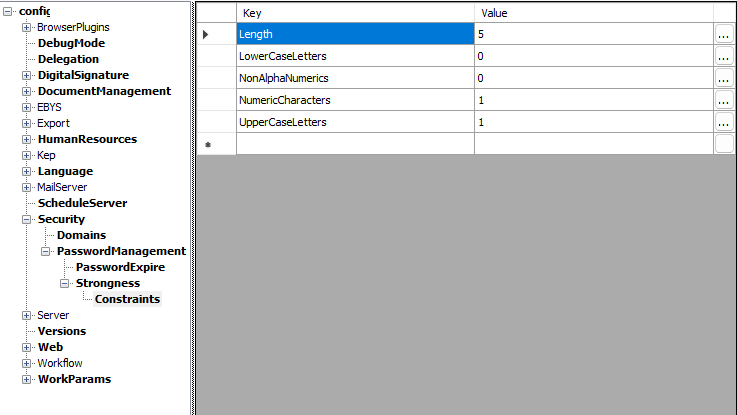
Under the Security -> PasswordManagement -> Strongness node to specify the creation criteria.
The " Constraints " node is added and the password creation criteria are set by entering the desired values in the keys below.
can be determined by the system administrator.
The password criterion set by the system administrator is also shown above the password change screen and A password that does not comply with the rule is not accepted.